
Volet
Merchant setup
Register on the website: http://volet.com/
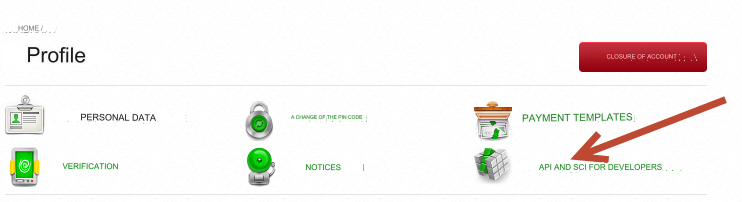
Log in to your account and go to the section: Profile (https://wallet.volet.com/pages/profile)
Go to: API AND SCI FOR DEVELOPERS
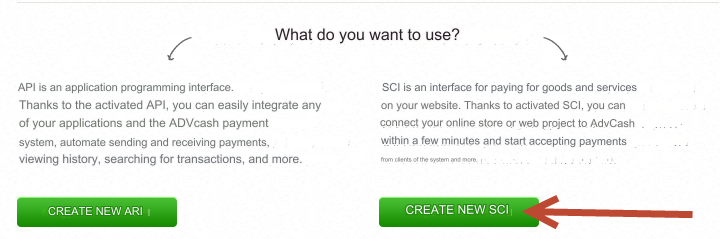
Then click Create a new SCI
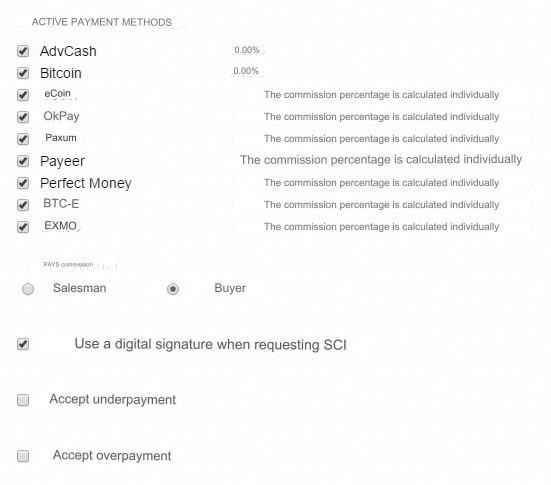
Select the payment systems you will use and click CONNECT.
Fill in the following fields:
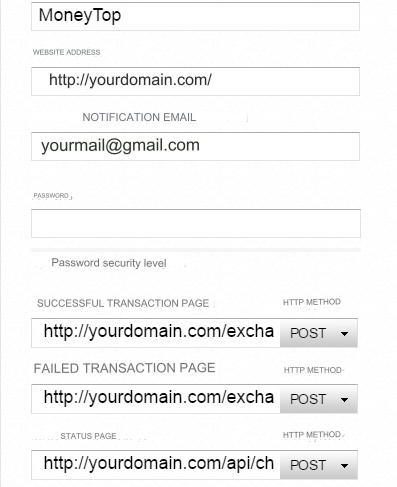
SCI SETTINGS COMMISSION PAYING - optional. Use digital signature when requesting SCI - check this box Accept underpayment - Do NOT check this box Accept overpayment - Do NOT check this box NAME SCI is the Latin name of the SCI. For example, MoneyTop SITE ADDRESS - enter the URL of your site ELECTRONIC EMAIL FOR NOTIFICATIONS - enter the E-mail to which you want to receive notifications about transactions PASSWORD - Enter a password. A set of Latin characters. Do not enter special characters, the digital signature may not match SUCCESSFUL TRANSACTION PAGE - https://yourdomain.com/exchange/charge.php (yourdomain.com - replace with the URL of your site) FAILED TRANSACTION PAGE - https://yourdomain.com/exchange/charge.php?fail (yourdomain.com - replace with the URL of your site) STATUS PAGE - https://yourdomain.com/api/changers/volet/charge.php (yourdomain.com - replace with the URL of your site) HTTP METHOD - for all pages, select POST Save the settings.
Return to the section: API AND SCI FOR DEVELOPERS
Next, click Create a new API
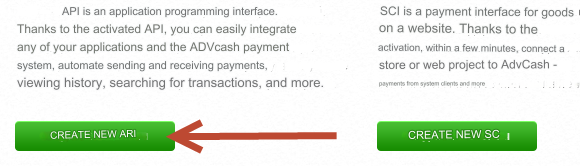
Fill in the fields:
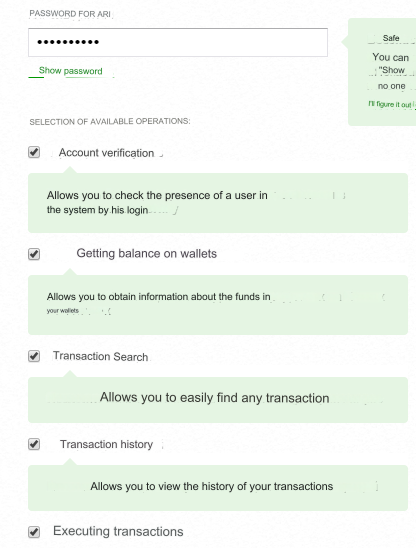
API SETTINGS API NAME - Latin name. For example, MoneyTop API IP ADDRESS - Enter the IP of the server for outgoing requests. See on the main of your admin: IP of the server for outgoing requests. PASSWORD FOR API - enter the password. Latin character set. SELECTION OF AVAILABLE OPERATIONS: - select all Save the settings.
Settings in the admin
The payment system is disabled by default.
Go to the settings Currency exchange - Payment systems - Disabled - Volet USD/EUR/RUB.
Settings only for types: Semi-Automatic and Automatic.
E-mail - enter your Volet login E-mail SCI Name - enter SCI NAME from SCI settings in Volet SCI Password - enter the PASSWORD from SCI settings in Volet API Name - enter the API name from the API settings in Volet API Password - enter the API PASSWORD from the API settings in Volet Save the settings.
Other settings
For a description of other settings, see the section: Payment systems
Last updated