
Activity periods
Description
Activity periods are set in payment settings
Be sure to configure CRON: Expiration of applications at the exchange office
Terms for Automatic and Semi-automatic types
Example of settings for the WebMoney WMR payment system.
In the payment settings, in the field Transaction duration (Automatic, Semi-automatic) we set 30 minutes.
The user fills out an application on the website. When you move to the 3rd step (Check), the time countdown starts.
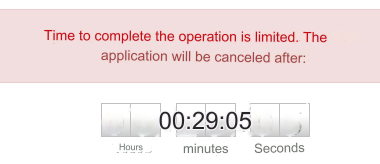
If the user has not completed the exchange within the allotted period of time, the application status will be changed to Exchange cancelled.
There are usually many such transactions. The user can go to the payment system interfaces and not pay for the application.
Terms for type Processing by operator
Example of settings for the WebMoney WMR payment system.
In the payment settings, in the field Activity period of the application (Processing by operator) we set 6 hours.
The user fills out an application on the website. When you move to the 4th step (Complete exchange), the time countdown starts.
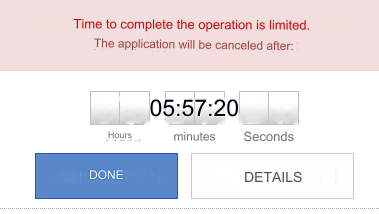
The time countdown stops after the user clicks the Done button.
The application status changes to Pending processing.
Terms for system cryptocurrencies with payment on the site
Example of settings for the BitCoin BTC payment system with the bitcoin_coinbase API configured.
In the payment settings, in the field Transaction duration (Automatic, Semi-automatic) we set 30 minutes.
The user fills out an application on the website. When you move to the 3rd step (Check), the time countdown starts.
When you go to the 4th step (Completing the exchange), payment details are displayed, which are generated by the payment system.
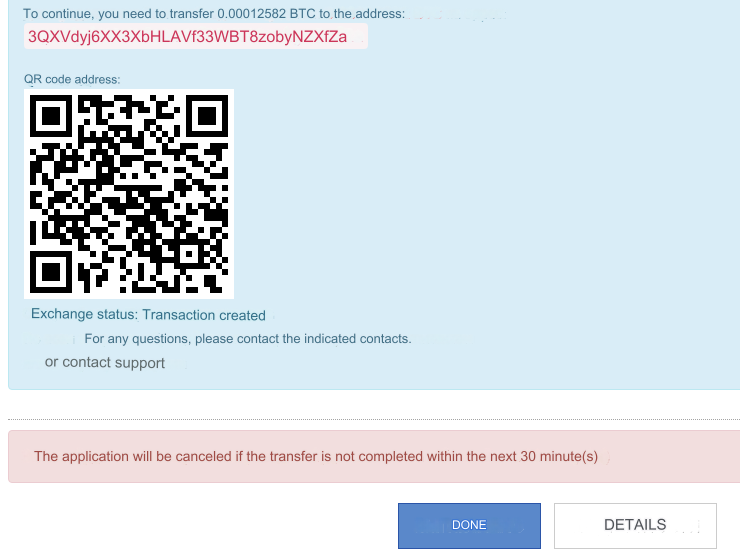
If the user has not completed the exchange within the allotted period of time, the application status will be changed to Exchange cancelled.
Options for changing the timer
Timers in templates: template/default/exchange/index_3.htm template/default/exchange/index_4.htm
You can change the size and color.
Default code:
$('#TimeTicer').timeTo({
seconds: {$mdates},
fontSize: 32,
displayCaptions: true,
captionSize: 14
Change color and size. Add theme: "black" and change the timer size:
$('#TimeTicer').timeTo({
seconds: {$mdates},
fontSize: 48,//Timer size
displayCaptions: true,//true - display text (Hours, Minutes, Seconds). false - do not output
theme: "black",
captionSize: 15//text size
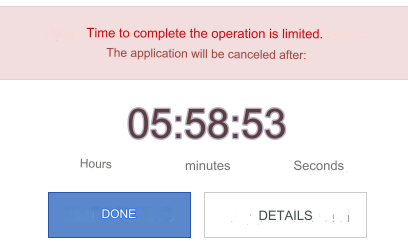
Result:
Last updated