
DPay
Registration and setting up a store
Two APIs have been created for DPay: qiwi_dpay and yandex_dpay. Use the correct API for QIWI and YooMoney exchanges.
Contact the manager in advance and discuss all conditions.
Telegram: https://t.me/SmartWM
Contacts: https://obmenka.ua/contacts
Register and create a store: https://acquiring.obmenka.ua/
Go to the Store tab and click Create
 Fill in the fields:
Name - any, as desired. preferably short (will be displayed in history)
Secret - copy and write down. Needed in the admin panel
IP - leave empty
Status URL - https://yourdomain.com/api/changers/qiwi_dpay/charge.php (yourdomain.com - replace with your domain. qiwi_dpay replace with yandex_dpay, if want to use exchanges from/to Yandex)
Success URL - https://yourdomain.com/exchange/charge.php (yourdomain.com - replace with your domain)
Fail URL - https://yourdomain.com/exchange/charge.php?fail (yourdomain.com - replace with your domain)
Check IP - no need to check the box
Send notifications - check the box
Save settings
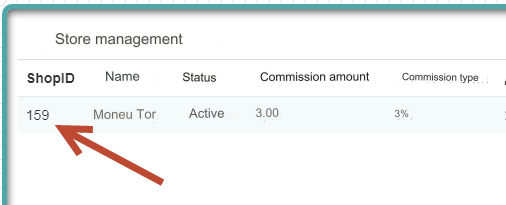
 After saving the settings, write down ShopID. You will need it in the admin panel.
Settings in the admin panel
By default, the payment system is disabled.
Go to settings Currency exchange - Payment systems - Disabled - DPay
Settings only for types: Semi-automatic and Automatic
Shop ID - enter Shop ID from your acquiring.obmenka.ua account
Secret Key - enter Secret from your account acquiring.obmenka.ua
Save the settings.
Activation of interfaces
Be sure to write to the manager: https://t.me/SmartWM
Ask to put your store into working mode by providing your Shop ID
Ask your server IP to be added to Cloudflare exceptions
The required IP in the admin panel on the main page: Server IP for outgoing requests
Other settings
For a description of other settings, see the section: Payment systems
Last updated