
Key encryption
In the payment settings, when selecting exchange types Semi-automatic, Automatic and Invoicing fields appear that are required for these types.
Fields that are classified as highly confidential are encrypted. For example: Passwords, Secret keys and others.
This data is encrypted after saving the settings.
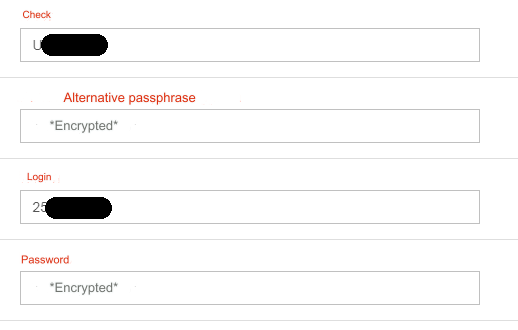
Instead of secret data, the following message is displayed: *Encrypted*
The screenshot shows an example of the PerfectMoney payment system settings
In the database, the Password field will look like this:
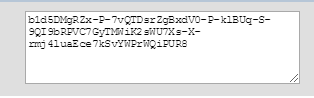
In fact, the Password is of course different.
Secret data is decrypted systematically when processing an application.
Fill out these fields carefully. If during the settings process you are not sure that they are filled out correctly, erase the inscription *Encrypted* and enter the data again
If you change any other data in the payment settings, the encrypted secret data does not need to be entered again if it is current.
IMPORTANT! All keys will be lost and you will have to enter them again if the encryption key is changed. The encryption key is stored in the file vucmsconf.inc.php ($CFG['authkey']), which is located in the root of your server and is generated when installing the program.
Last updated