
WhiteBit
Whitebit supports transactions with cryptocurrencies, coupons (codes), bank cards and AdvCash. You have 4 types of API to work with different types of operations. For more details, see the list of sup
Account settings
Register on the website: whitebit.com
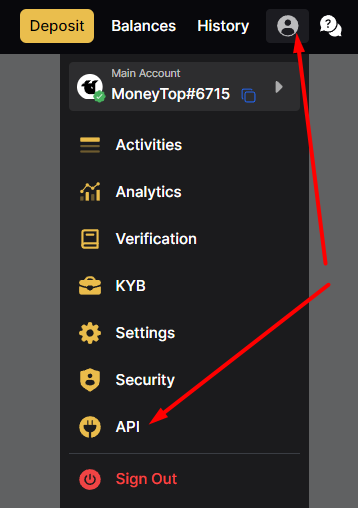
Login to your account, click on the person-shaped icon and go to the API page
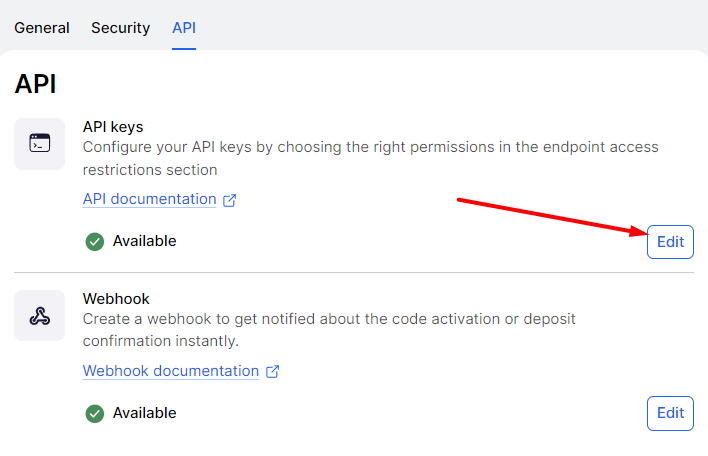
On the API page, click the Edit button
Click the Generate API Key button, copy the generated Key and Secret Key, they will be needed for configuration in the admin panel. Enter any name and select Endpoint access as in the screenshot:
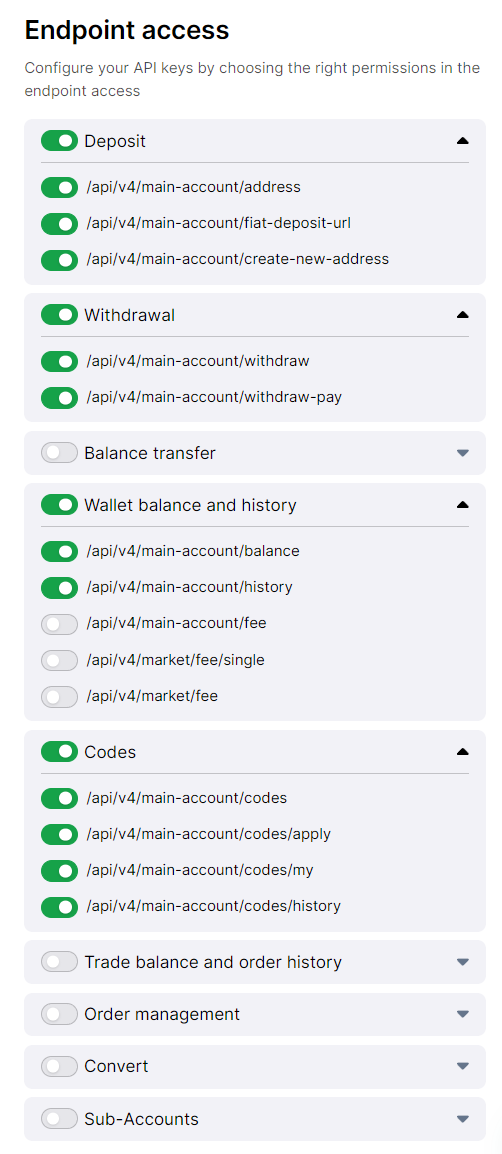
Codes - only for API coupon_whitebit
create-new-address - only for the bitcoin_whitebit API
To activate the create-new-address endpoint you need to contact Whitebit technical support
If the address is not generated and gives the error "You don't have permission to use this endpoint. Please contact support for more details." - endpoint is not activated
After all the settings, click the Confirm changes button at the bottom of the list
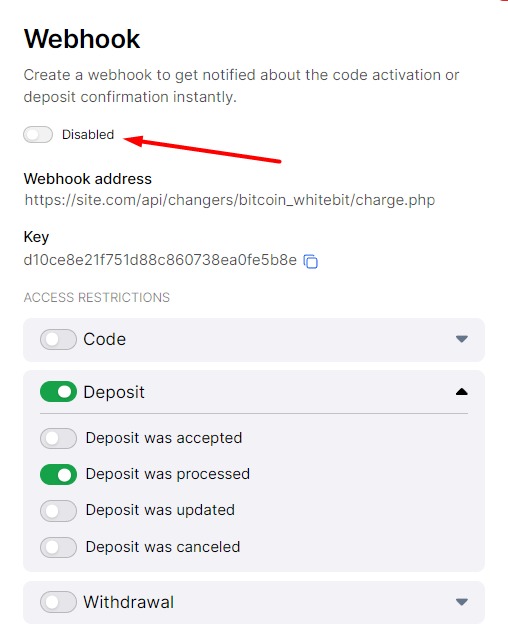
Go back to the API page and proceed to editing the Webhook:
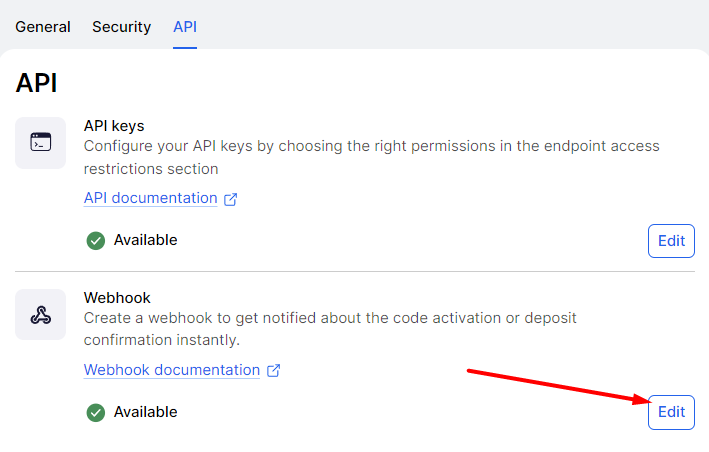
In the Webhook address field, enter:
https://site.com/api/changers/whitebit/charge.php
where site.com is the address of your website
Click the Generate Key button
Because You cannot create more than one Webhook - the charge.php file is universal in all Whitebit APIs (except coupon) and is suitable for all others.
To activate the keys, create a file whiteBIT-verification.txt, copy the Key (not secret) and paste it into the file content. Upload this file to the root of your site. Click on Disabled to activate the keys, select Access restrictions as in the screenshot and click Confirm
Settings in the admin panel
By default, WhiteBit has 3 payment cards, they are disabled and configured for BitCoin, RUB cards and USD coupons.
Go to settings Currency exchange - Payment systems - Disabled - WhiteBit BTC
Settings only for types: Semi-automatic and Automatic
Provider - specify VISAMASTER to work with cards. ADVCASH for working with AdvCash. (only for whitebit API) Network - a network for multi-network currencies. Possible values: ERC20, TRC20, OMNI, BEP20, EOS. Leave blank if network selection is not needed (only for bitcoin_whitebit API) API Key - enter your API Key from the WhiteBit settings API Secret Key - enter the Secret Key of your API from the WhiteBit settings Webhook Secret Key - enter the Secret Key of your Webhook from the WhiteBit settings Save the settings.
Supported currencies
WhiteBit supports the following currencies via the "whitebit" API: UAH - Ukrainian hryvnia USD - US Dollar (AdvCash only) EUR - Euro (AdvCash only) KZT - Kazakhstani tenge (AdvCash only)
WhiteBit supports the following currencies via the "whitebit_card" API: UAH - Ukrainian hryvnia (cards only) USD - US Dollar (cards only) EUR - Euro (cards only) KZT - Kazakhstani tenge (cards only)
WhiteBit supports a large number of cryptocurrencies using the "bitcoin_whitebit" API
WhiteBit supports all fiat currencies and cryptocurrencies available in other APIs via the "coupon_whitebit" API
Adding a new payment system based on the WhiteBit API. In Ethereum's example
Name of payment system - Any System type - Electronic currency Currency name - ETH Identifier - any free API - select bitcoin_whitebit System currency - select ETH - Ethereum Key - enter your API Key from the WhiteBit settings Secret Key - enter the Secret Key of your API from the WhiteBit settings Webhook Secret Key - enter the Secret Key of your Webhook from the WhiteBit settings Network - leave empty Save the settings.
Other settings
For a description of other settings, see the section: Payment systems
Last updated