
Billline
Account settings
Register on the website: billline.net
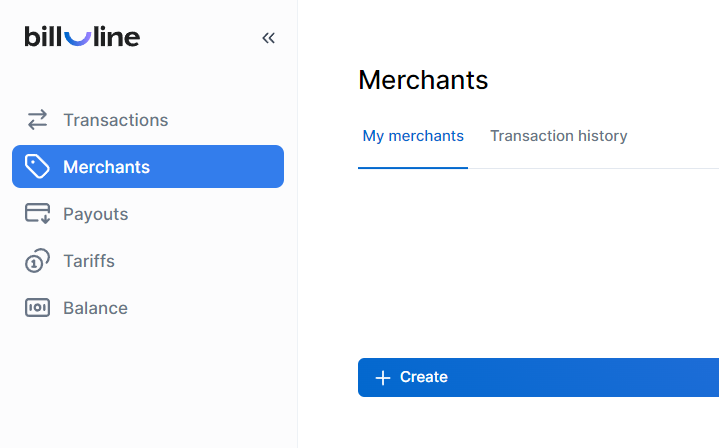
Login to your account, go to the Merchants -> Create page
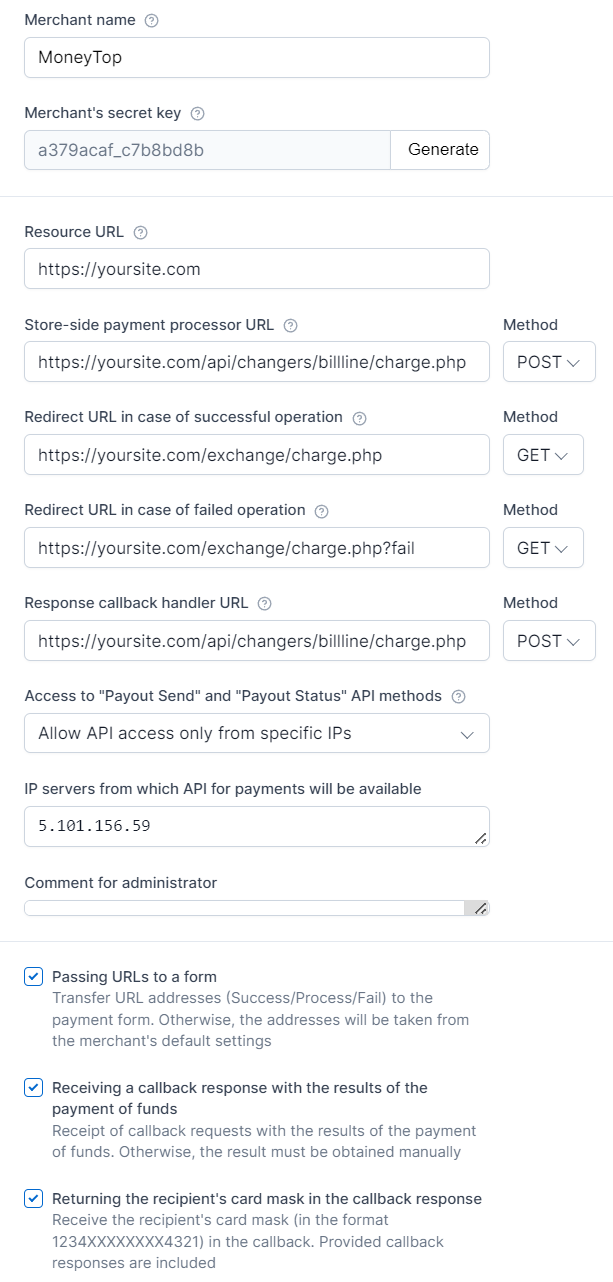
Fill out the form:
Merchant name - any
Merchant's secret key - click Generate and copy the key, you will need it for setup in the admin panel
Resource URL - the address of your site
Store-side payment processor URL - enter https://yoursite.com/api/changers/billline/charge.php (where yoursite.com is the address of your site) and select the POST method
Redirect URL in case of successful operation - enter https://yoursite.com/exchange/charge.php (where yoursite.com is the address of your site) and select the GET method
Redirect URL in case of failed operation - enter https://yoursite.com/exchange/charge.php?fail (where yoursite.com is the address of your site) and select the GET method
Response callback handler URL - enter https://yoursite.com/api/changers/billline/charge.php (where yoursite.com is the address of your site) and select the POST method
Access to "Payout Send" and "Payout Status" API methods - select "Allow API access only from specific IPs"
IP servers from which API for payments will be available - enter your “IP server for outgoing requests”
Passing URLs to a form - check the box
Receiving a callback response with the results of the payment of funds - check the box
Returning the recipient's card mask in the callback response - check the box
Click Create a merchant
Copy Merchant ID to configure in the admin panel and wait for the merchant to be moderated.
Settings in the admin panel
Go to settings Currency exchange - Payment systems - Disabled - Billline UAH
Settings only for types: Semi-automatic and Automatic
Merchant ID - enter your Merchant ID Secret key - enter the Merchant's secret key generated when creating the merchant Billline Commission - enter the Billline commission for this currency in percentage Save the settings.
Supported currencies
Billline supports the following currencies: UAH - Ukrainian hryvnia (Visa/Mastercard) USD - US Dollar (Mastercard) EUR - Euro (Mastercard) AZN - Azerbaijani manat (Visa/Mastercard) KZT - Kazakhstani tenge (Visa/Mastercard)
Adding a new payment system based on the Billline API. In the USD example
Name of payment system - Any System type - Bank card Currency name - USD Identifier - any free API - select billline System currency - select USD - US Dollar Merchant ID - enter your Merchant ID Secret key - enter the Merchant's secret key generated when creating the merchant Billline Commission - enter the Billline commission for USD, you can see it in the tariffs Save the settings.
Other settings
For a description of other settings, see the section: Payment systems
Last updated