
Payz Team
Account settings
Register on the website: https://merchant.payzteam.com/sign
Log in to your account, enter your website details and enable two-factor authentication.
Go to the section: My store (https://merchant.payzteam.com/tariff)
Copy the numbers signed "ID and name", without the hash and name. This is your Merchant ID.
Copy the Secret key.
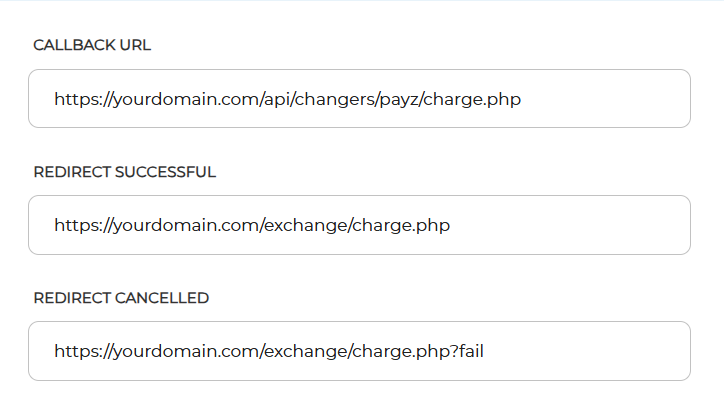
In the Callback URL field, enter: https://yourdomain.com/api/changers/payz/charge.php (yourdomain.com - replace with your site URL)
In the Redirect successful field, enter: https://yourdomain.com/exchange/charge.php (yourdomain.com - replace with your site URL)
In the Redirect cancelled field, enter: https://yourdomain.com/exchange/charge.php?fail (yourdomain.com - replace with your site URL)
Click Save.
Settings in the admin panel
By default, the payment system is disabled.
Go to the settings Currency exchange - Payment systems - Disabled - Payz RUB.
Settings only for types: Semi-automatic and Automatic.
Merchant ID - enter your numeric ID Secret Key - enter your secret key Bank - enter the bank, for example: Alfa, Tinkoff, Sber, Kiwi. Used only for payouts. Save settings.
Other settings
For a description of other settings, see the section: Payment systems
Last updated