
Users wallets
Description
This section contains all the data that a registered user fills out in the second step of completing the application.
When moving to the 3rd step, the entered data Account and First Name, Last Name are recorded in the database.
When submitting an application again in the direction of Account and Name, Last Name will already be filled in.
The user can change this data and it will be overwritten in the database.
Prohibit account changes
Go to the Currency exchange - User accounts section, check the box next to the account that you want to prohibit changing and click the Prohibit changing account button.
An account that is prohibited from changing will be highlighted in red.
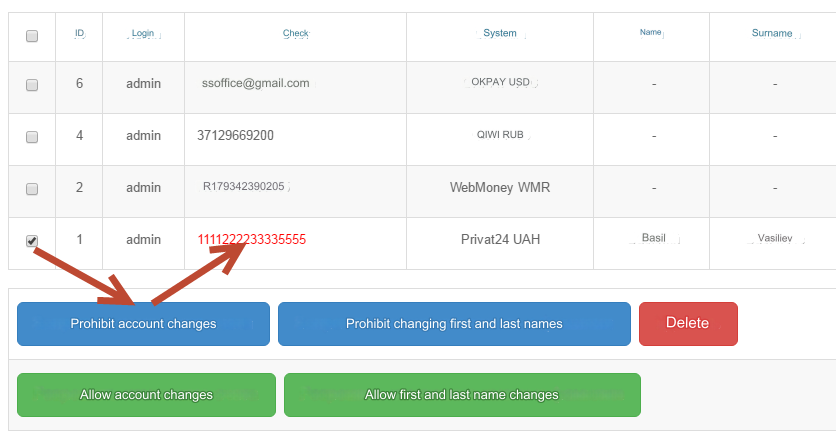
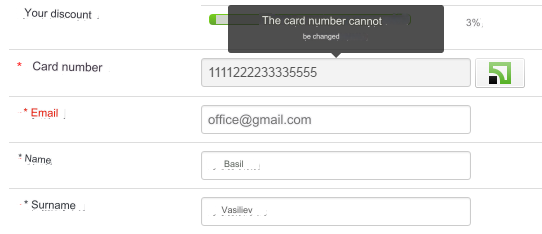
The user will not be able to change it.
The same actions, with the prohibition of changing Name, Surname.
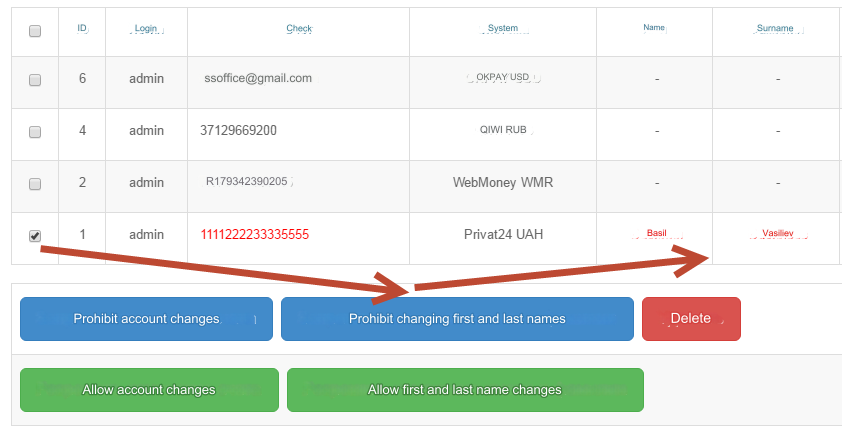
The user will not be able to change the first and last name.
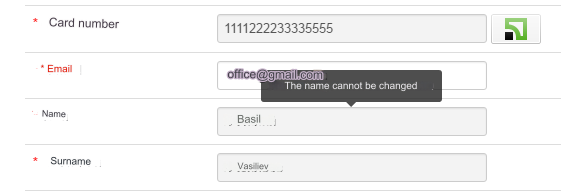
This option is useful if you have enabled verification by direction and the user has passed it.
However, you can use this option at your discretion.
Last updated