
Directions (Options)
Texts by directions
Texts by directions. See section: Texts by directions
Destination restrictions
Only for registered users - the checkbox is checked and this direction will be available only to registered users.
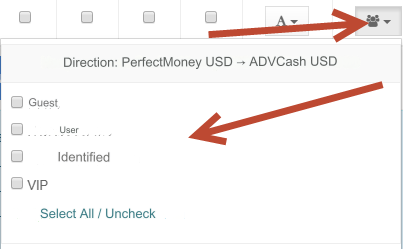
Groups - access by direction only for certain user groups.
Click on the group selection icon for the desired direction.
Checked = access is allowed for this group or groups, denied for others.
No checkmarks = access is allowed for all groups.
After selecting groups, click the Submit button at the bottom of the page.
The ban message looks like this:

Verification by direction
Verification by first name, last name - ticked = verification by first name, last name is required for the referral. Without verification and completion of the application it will be impossible.
Verification is carried out by first name, last name and providing screenshots of documents. Set up verification for each of the groups. Go to the section: Users - Module settings - User groups => Verification => Required verification by first name, last name - Yes See section: Additional - Verification Verification by address of residence - ticked = verification by address of residence is required for the referral. Without verification, it will not be possible to complete the application.
Verification is carried out by the address of residence and the provision of screenshots of documents. Set up verification for each of the groups. Go to the section: Users - Module settings - User groups => Verification => Required verification of residential address - Yes See section: Additional - Verification Payment card verification - the checkbox is checked = payment card verification is required for the referral. Without passing the verification process, it will be impossible to complete the application.
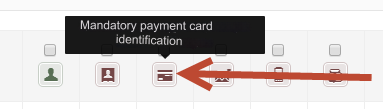
The option works ONLY for System Type Bank Card Verification is carried out by providing a screenshot of the front side of the card. Set up verification for each of the groups. Go to the section: Users - Module settings - User groups => Verification => Required payment card verification - Yes See section: Additional - Verification E-mail verification - ticked = E-mail verification is required for the referral. Without passing the verification, it will be impossible to complete the application.
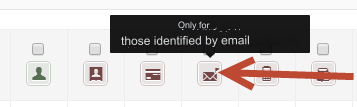
This type of verification is automatic. The user confirms his E-mail. Set up verification for each of the groups. Go to the section: Users - Module settings - User groups => Verification => Required verification E-mail - Yes
Mobile verification - ticked = mobile verification is required for the referral. Without passing the verification, it will be impossible to complete the application.
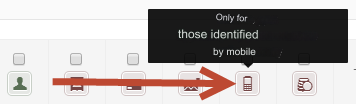
This type of verification is automatic. The user confirms his mobile. You must first configure SMS integrator Set up verification for each of the groups. Go to the section: Users - Module settings - User groups => Verification => Required mobile verification. phone - Yes
Payment of deposit - the checkbox is checked = payment of the deposit (insurance amount) is required for the direction. Without payment of the minimum deposit amount, it will not be possible to complete the application.
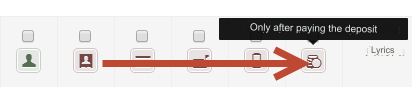
This type is automatic. The user pays the insurance amount (deposit) from the balance. See section Finance - Deposits Go to the section: Users - Module settings - Finance => Deposit amount - enter the minimum deposit amount Below are the settings for each group. Go to the section: Users - Module settings - User groups => Verification => Insured amount required (deposit) - Yes
Last updated