
Template Style Colors
Location
Style directory - skin/default/skins/
Enabling styles
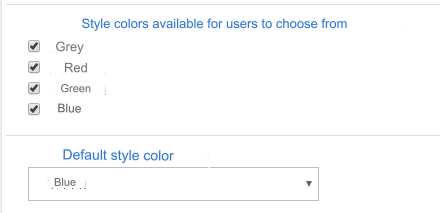
Select the colors that will be available for users to switch between them.
The more styles you select, the longer the site will take to load on your first visit. The browser loads all available styles.
Disable style selection - do not select anything.
Default style color - select from the list.
Important! The default style color must be available to users if at least one of the styles is allowed to be selected.
Style output file. Sorting
In the file: skin/default/skins/u_name.inc.php change the location of the style names as you need.
Adding your own styles
Place in the directory: skin/default/skins/ CSS file of your new style. You can take any of the existing ones as a basis and change the name and color scheme.
In the file: skin/default/skins/u_name.inc.php enter the name of your new style.
Last updated