Htpasswd to admin file

Description

Additionally, we highly recommend protecting the admin file with the Apache htpasswd utility.

There are several encryption algorithms. You can use any one.

We will look at SHA-1.

You can use Generate htpasswd on our website.

You can also use Online encryption


Placing files on the server

Open the file .htpasswd, which is located in the UTILS folder.

Change this data: mylogin:{SHA}FefTYcOFuPWJjBNBYPtX9D8vKOA= to yours that was generated.

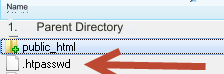
Upload this file .htpasswd to your server to the public_html directory.

Open the .htaccess file, which is located in the root directory of your server.

Change this code:

<Files demoadmin.php>
AuthType Basic 
AuthName "Protected area, need authorization"
AuthUserFile /home/s/mylogin/mygomain.com/.htpasswd
require valid-user 
</Files>
<Files demoadmin.php> - replace demoadmin.php with your unique admin file name.

AuthUserFile /home/s/mylogin/mygomain.com/.htpasswd - replace /home/s/mylogin/mygomain.com with your home directory. You can see your home directory on the main admin panel: Server

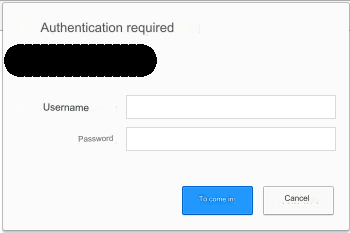
As a result, when you log into the admin area, you will see the following window where you will need to enter the username and password you specified:

IMPORTANT! If you change the name of the admin file, do not forget to change it in .htaccess

About Apache encryption

Last updated