
Errors and their correction
The module is not cloned
Unable to clone module. The system reports that the directory is not writable.
Your server does not allow changing rewrite permissions. In this case, the rights (CHMOD) must be changed manually on FTP.
Your actions:
1) Go to your FTP and take the directory of the cloned module to your computer. For example, the Articles module, the news/ directory in the root.
2) Open the file config.inc.php and change the module ID to the ID of the last module that does not yet exist. You can view module IDs in the section: Settings - Modules - ID.
For example: $moduleid = 21; change to $moduleid = 101; IMPORTANT! System modules up to ID 100. Use the ID starting with ID 101 in order of priority.
3) Rename the news folder to your own name. For example: faq and upload the renamed folder to the server in the root directory.
4) Add a module from the admin panel Settings - Modules - Add.
Module type: - System Name: - enter the name of your new module in Russian Use module core: - select the module to be cloned. In our case Articles Module directory: - enter the name of the directory. In our case faq Click the Send button - the module is installed
Hosting nuances: freehost.com.ua
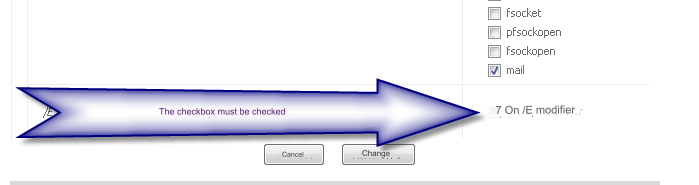
In the server control panel: Site management - PHP settings enable the setting:
suhosin.executor.disable_emodifier On. /E modifier
Half the options don't work
CHANGE HOSTING PROVIDER
Last updated