
Contextual Links
Description
In the settings of each information module there is an option Use contextual links.
When this option is enabled, the text entered in the Contextual links section is converted into a hyperactive link in the content.
The context link is converted 1 time in the text. Only the text that is located higher in the editor is converted.
Examples
Enable the option in the module settings: Use contextual links.
Go to the section: Contextual Links of this module and fill in the Contextual Links.
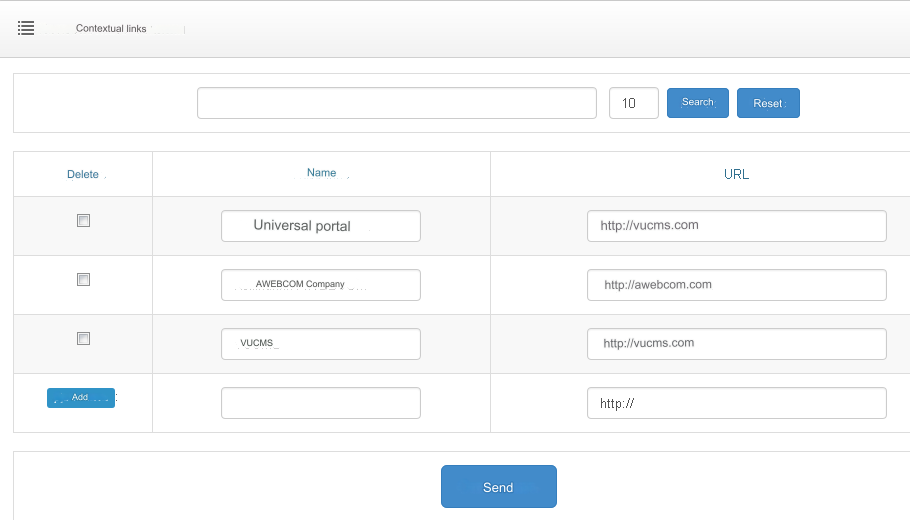
Now, when filling in the content of the content, the entered Contextual Links will be converted to hyperactive URLs.
Universal Portal will be displayed as a link: Universal Portal AWEBCOM Company will be displayed as a link: AWEBCOM Company VUCMS will be displayed as a link: VUCMS Repeated texts in this content: Universal Portal, AWEBCOM Company, VUCMS will no longer be converted. Will remain the same.
Last updated