
Clickatell
Settings in the integrator account
Register on the website: Clickatell
When logging into the Clickatell website, select: Communicator / Central.
Replenish your balance on the website: Credits & Services.
Add an API: APIs - Set up a new API
Select a protocol: Messaging APIs - HTTP
API has been created. Go to settings: APIs - Manage APIs
Change username and password for this API - enter the API login and password
Don't touch the rest of the fields. Save settings
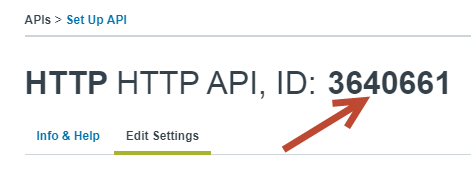
Write down your API ID. Needed for settings in the admin panel.
Settings in the admin panel
Go to the tab: Settings - Configuration - SMS
SMS gateway - select Clickatell API ID - enter the API ID. See screenshot above Login - enter the login that you set in the API Password - enter the password that you set in the API Signature in messages - signature at the end of all messages. Enter your signature in Latin. For example: VUCMS.COM SMS price - enter your cost for one SMS. Max. number of characters - maximum number of characters in 1 SMS. Enter 160 or 158, depending on the cost of 1 SMS The length of a standard SMS message is 160 characters in Latin and 70 characters in Cyrillic. Characters are programmatically converted to Latin. (See: Changing the language of sent SMS). Successful identification notification - for Clickatell, enter ID
Last updated