
Bytehand
Settings in the integrator account
Register on the website: Bytehand
Replenish your balance on the website.
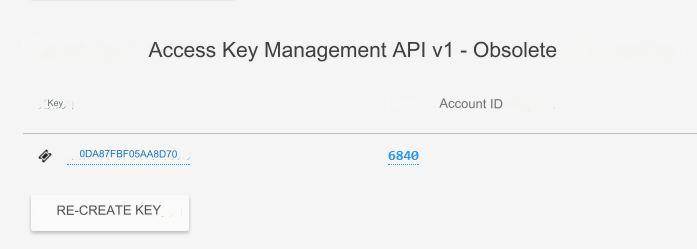
Go => Account - Settings - Security
Here is the ID and key. They will be needed for configuration in the admin panel.
Go to SMS - Sender Signatures
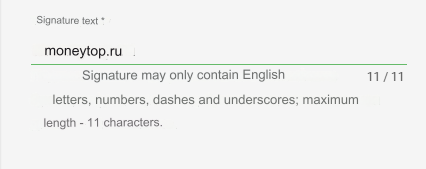
Create a signature in Latin. Wait for verification. A signature will be required for settings in the admin panel.
It is recommended to enter the domain of your site. In our example: moneytop.ru. The signature is used in SMS instead of the sender's number.
Settings in the admin panel
Go to the tab: Settings - Configuration - SMS
SMS gateway - select Bytehand ID - enter ID from the Bytehand settings: Account - Settings - Security Sender - enter Sender's signature from the Bytehand settings: SMS - Sender's signature Key - enter Key from the Bytehand settings: Account - Settings - Security Signature in messages - signature at the end of all messages. Enter your signature in Latin. For example: moneytop.ru SMS price - enter your cost for one SMS. Max. number of characters - maximum number of characters in 1 SMS. Enter 160 or 158, depending on the cost of 1 SMS The length of a standard SMS message is 160 characters in Latin and 70 characters in Cyrillic. Characters are programmatically converted to Latin (see: Changing the language of sent SMS). You can enter newsletter texts in Russian. Notification of successful identification - for Bytehand, enter OK in Latin
Last updated