
WhiteBit
Настройки в аккаунте Whitebit
Register on the website: whitebit.com
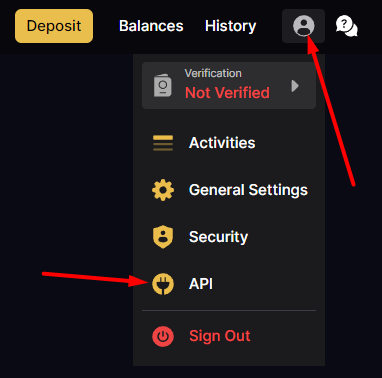
Login to your account, click on the person-shaped icon and go to the API page
At the bottom of the page, click on the Generate new key button
Copy the generated Key and Secret Key, they will be needed for configuration in the admin panel
Click on the text Restrict access by IP address, then on the Add IP address button and add Server IP for outgoing requests from the main your admin pages
Click on the text Restrict access by endpoint and select access as in the screenshot:
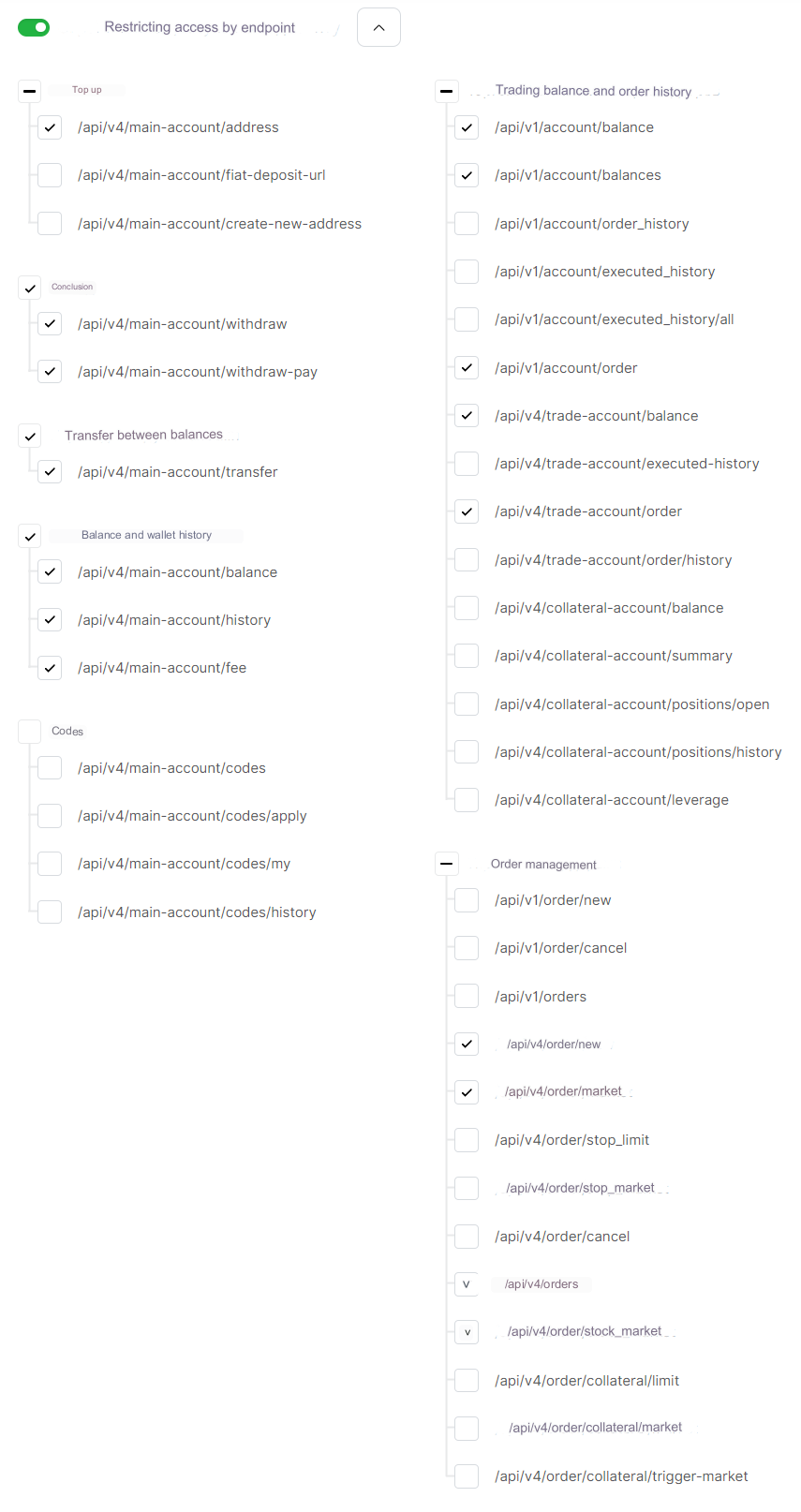
You can use one set of keys for exchanges and for trading. To do this, enable all the necessary endpoints specified here and on the payment system settings page.
After all the settings, click on the Apply changes button at the bottom of the list
Settings in the admin panel
When you select the WhiteBit API in adding auto-trading, the key fields will be loaded:
API Key - enter your API Key from the WhiteBit settings API Secret Key - enter the Secret Key of your API from the WhiteBit settings
For a description of other settings, see the section: Auto-trading
Last updated