
Links to reviews
Description
In this section you can add links to reviews of your exchanger in monitoring.
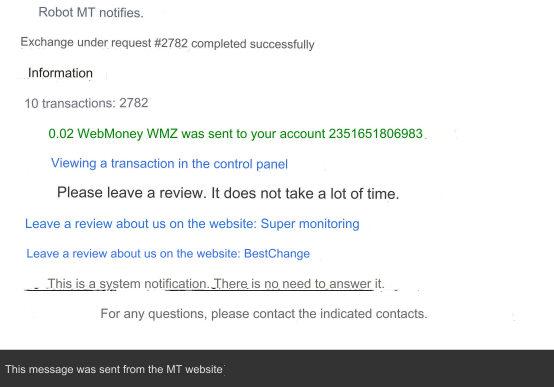
All added links will be displayed on the site upon successful completion of the exchange and in letters about the successful completion of the exchange.
See examples below.
How it works
In the field on the left, enter the name of the monitoring. For example: BestChange.
In the field on the right, enter the URL of the monitoring reviews.
Titles and URLs can be added in batches. The name of the monitoring and the URL of the reviews on this monitoring must be on the same line.
The URL of reviews must be complete with https:// or http://, otherwise the addition will not occur.
Delete = check the box next to the monitoring you want to delete and click on the Delete button.
What it looks like
Page of successful completion of the exchange.
 Letter about the successful completion of the exchange.
Last updated