
Binance
Settings in your Binance account
Register on the website: binance.com
Log in to your account and go through verification.
After verification, click on the human-shaped icon and go to the API Management page
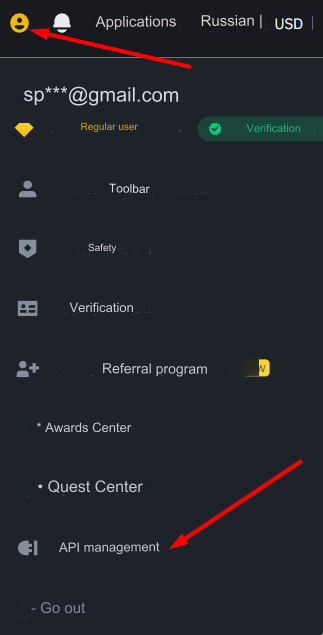
On the right side of the page, click on the Create API button
In the window that opens, enter any name for your keys:
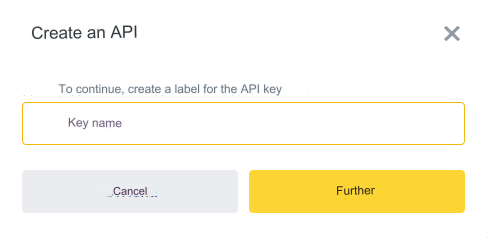
After all security checks, the keys will be generated. Copy the API Key and Secret Key, they will be needed for configuration in the admin panel.
Click on the text Edit restrictions and set the required access:

Select the Allow access only to trusted IP addresses (recommended) option, enter your Server IP for outgoing requests in the field below and click Confirm
After all the settings, click on the Save button on the right
Settings in the admin panel
When you select the Binance API in adding auto-trading, the key fields will be loaded:
API key - enter the API key from the generated keys in the Binance settings Secret key - enter the Secret key from the generated keys in the Binance settings
For a description of other settings, see the section: Auto-trading
Last updated