
Users list
Description
This section contains complete user management.
You can delete, block, move to groups, change any user data. IMPORTANT! When deleting a created group, first transfer users from the group being deleted to any other!
User data
Login - you can change the user login. There is no need to change the login without special need and without the consent of the user. Especially if the database already has records relating to this user.
Group - the group the user is a member of. See section: Users - User Groups
Password, payment password - if passwords do not need to be changed, then leave the fields empty.
E-mail - the user’s main E-mail. Hidden for viewing.
First and/or last name - entered during registration. The user can change in the control panel.
Gender - male or female.
Mob. phone - mobile user's phone.
Add. communication means - available: ICQ, Jabber, MSN, Skype, Telegram, Viber.
Bank/System, Bank/System Account - see section: Users - Settings - Finance => Allowed systems for withdrawal of funds.
Personal manager - see section: Additional - Managers
Affiliate (referral) ID - if the user does not have a referral, then 0 is displayed in the field. Do not change or delete the referral without exceptional reasons.
Discount - individual discount for all exchanges of this user. Empty field - no discount.
Individual affiliate percentage
You can set an individual percentage for each affiliate.
Accrued interest on affiliate program plans will be ignored.
Accruals will be based on the accrual percentage you entered.
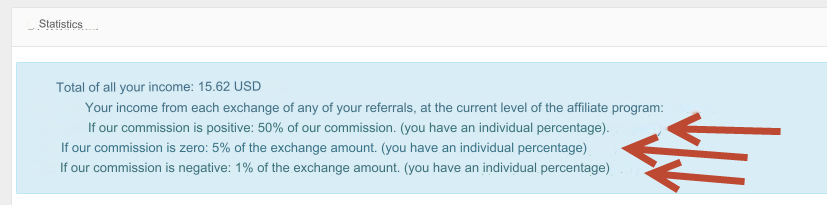
In the user control panel in the Affiliate program section, a message will be displayed about the use of an individual percentage.
Last updated